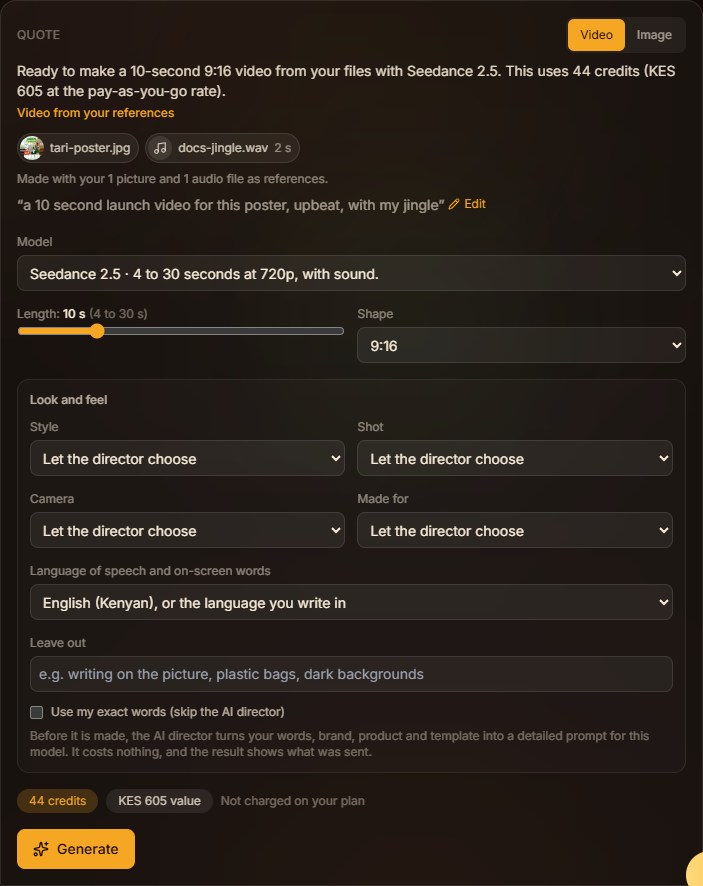
Attach photos, clips and audio
Use your own pictures, an MP4 clip or WAV audio; the Studio picks the right kind of generation.
Attach files
Press the paperclip in the Studio's message box and choose files:
- pictures: PNG, JPEG or WebP, up to 10 MB each
- clips: MP4, up to 100 MB and 30 seconds
- audio: WAV, up to 20 MB and 30 seconds
Up to 10 files per message; clips together and audio together can each add up to 30 seconds. Each file appears as a chip you can remove before sending. Other formats (MOV, MP3) are refused: export as MP4 or WAV first.
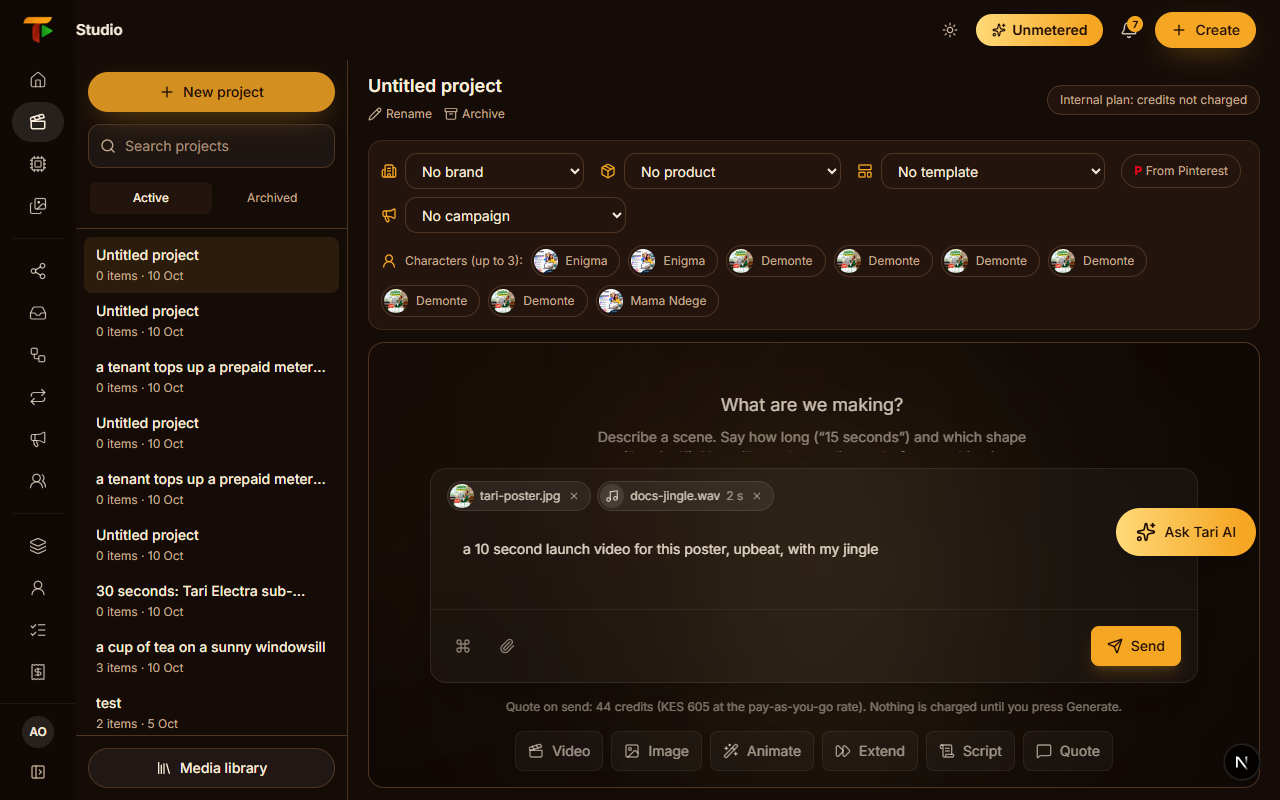
How the files are used
Send your message and the quote says how the files will be used:
- a picture, with pictures attached: Image from your pictures, keeping the faces and products in them
- a video, with a clip attached: Change your video, at the clip's own length
- a video, with one picture: the picture is the first frame
- a video, with several pictures or audio: Video from your references
Switch the quote between Image and Video and the files are re-routed. If the chosen model takes fewer files than you attached, the quote says which are used.